Alternatives of Peacock TV
- Netflix
- Hulu
- Disney+
- Amazon Prime Video
- Max (or HBO Max)
- Apple TV+
- Paramount+
- Crunchyroll
- Tubi
- YouTube TV
 Advertised At: contact@edulikes.com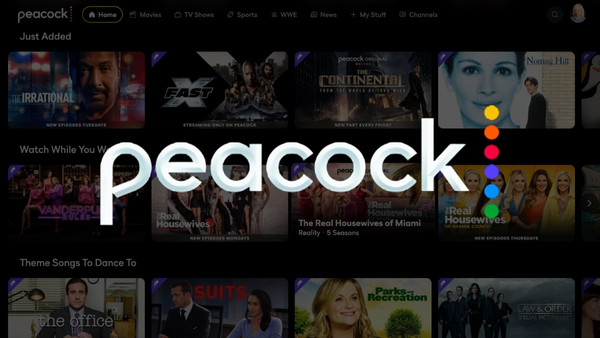
Peacock TV is a famous digital streaming app to watch movies, shows new and live sports. It is designed by NBCUniversal Company, which is famous in the entertainment world. You can watch all kinds of entertainment content on your mobile, TV, or Desktop.
Peacock provides a different kind of movies, series, including hit movies and other brand shows. Everybody can use it with just an internet connection who lives in the United States. It is workable on all kinds of devices.
Peacock provides you with all kinds of entertainment in the shape of movies, shows, and online sports. But these free shows have too many ads. These ads disturb you while enjoying movies. To get rid of these ads, you have to purchase their premium plans.
These paid plans provide you with more content with ad-free entertainment. These plans are cheaper as compared to other online streaming services. They make it affordable for all the people who are keen of watching movies and TV shows.
If you are logging in on your TV screen:
NBCUniversal designed and published Peacock TV in 2020. It was the affordable alternatives of other high-priced streaming platforms. Platforms mixed the on-demand content like Netflix with ads. They provided a cheaper streaming service than several competing platforms.
his balance helps them keep subscription costs lower. It was also the method for the company to earn money by showing collaboration and individual ads. This strategy assisted Peacock TV in staying cheaper for people.
You might see some ads even if you get the premium plan. It is due to Peacock TV’s strong agreement with other brands. These agreements prove that Peacock will show some ads even if you purchase their premium version.
But in premium plan, you will see only a few ads. You cannot completely get rid of ads on that platform. This shows the money-making methods of streaming platforms while providing cheaper subscriptions.
| Plan | Cost | What You Get | Commercials? | Can You Watch Offline? |
| Peacock Free | $0 (Free!) | Thousands of hours of shows and movies. | YES | No |
| Peacock Premium | $10.99/month or $109.99/year | New NBC/Bravo shows, recent movies | YES | No |
| Peacock Premium Plus | $16.99/month or $169.99/year | Everything in Premium. | Almost None | YES |
The main way Peacock offers to get rid of commercials is by upgrading to the Premium Plus plan. This lets you watch nearly all the content without those annoying interruptions.
How to change your plan:
Even when you pay for the most expensive “ad-free” plan, you will still see a few commercials sometimes. Peacock even warns you about this!
The ads show up mainly on:
If you don’t want to pay for Premium Plus or you want to block the remaining ads, there are a couple of tech-savvy methods:
It’s simple! Watching TV should be enjoyable.
The conclusion is that while Peacock wants you to pay for the Premium Plus plan to reduce ads, that won’t get rid of them completely. For the absolute smoothest, ad-free experience, many people find that using an extra tool, like a top-notch ad-blocker, is the best solution when watching on a computer.
Peacock TV is a famous digital streaming app to watch movies, shows new and live sports. It is designed by NBCUniversal Company, which is famous in the entertainment world.
It has both a free and paid version. But if you choose the free version, you will see lots of ads, which will disturb you while watching any movie and TV shows.
| Peacock Premium | $10.99/month or $109.99/year |
| Peacock Premium Plus | $16.99/month or $169.99/year |


